
How To Format Pinterest Pins For Beginning Pinners
As I have been increasingly active in sharing posts on the internet I am running into a few posts that Pinterest would love – except….
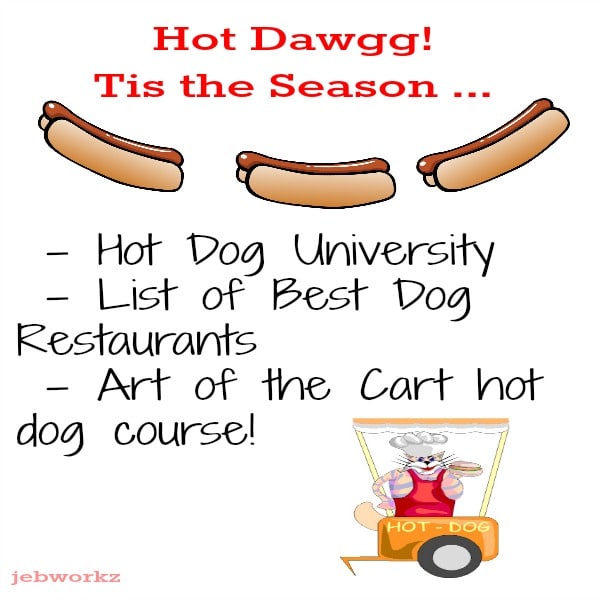
The images are not Pinterest friendly. Again, I will leave it to the Pinterest pros to explain why but there are some fast and simple rules for a post to be successful on Pinterest. You can have the best content that is Pinterest friendly but it will not generate the traffic the post deserves if the images do not conform to the standards of Pinterest. Excellent content plus an excellent vertical presentation will give your post the best chance to succeed from the get go.

Pinterest “Rules”
Image must be vertical. Period. Exclamation Mark.
Perhaps the rule is not in black and white but there is a definite bias on Pinterest by pinners if the image is not vertical.
Size Of Pinterest Image
I use 600 X 900 to conserve space on my site. When I first began Pinterest last year I used larger images and one of the quickest way to kill the speed on your site is by using very large images. Of course this is also dependent as to the hosting package you subscribe to as well as the preference of your audience and image reducing programs.
Whichever size is chosen the width to length ratio should be a minimum of 2:3.
Design The Pinterest Image Template With Picmonkey
Picmonkey is a free online image editing and design tool which is very easy to use to design a quick Pinterest graphic.
Access Picmonkey.
Chose design 4X6 on the upper menu.
On the left menu, top button, choose resize the image.
Type in desired size and your blank template is created. I typed in 600X900.

Design as desired using Picmonkey to create a Pinterest image.
Fill In Alt Text
When loading your image onto your site utilize the Alt Text field to add a description of your pin.
This description will load automatically onto the bottom of your pin. Your description should be accurate and keyword friendly.
Do not use hashtags on Pinterest . In the past hashtags were used, but are currently frowned upon.
Optional But Suggested Are Rich Pins
 Apply for Rich Pins on Pinterest. This will lend credibility to your site as your site will be verified by Pinterest.
As you can see from the graphic on the left, the Rich Pin has the title of my main website The Savvy Age along with the favicon.
The difference while may seem small is not as Rich Pins signify the pin is not spam. I do pin posts from writers I know who may not have vertical pinnable images, but I know to be credible.
If you are pursuing Pinterest for traffic then the last thing anyone is interested in is pinning spam.
Once you are approved for Rich Pins then the Analytics data is available to you to analyze. This is invaluable information which will dissect your pins and boards by pins, repins, clicks if you are using Pinterest as a traffic driver to your site.
Applying for Rich Pins has become a very simple procedure on Pinterest and will assist your pinning strategy and credibility.
Learn Now For Later?
Hope some of these tips are helpful if you are thinking of pursuing Pinterest. However one never knows what the future will bring. It is much easier to learn and put into practice the standards for Pinterest images now — then have to go back and redo all of your images when you decide in the future to pursue Pinterest.
Sizing your graphics for each social media platform is labor intensive but as with anything new it will become quicker, faster and easier as you learn and execute.
Feel free to hop on over to Pinterest and follow The Savvy AgeThe Savvy Age where we can share pins!



Longer ones, hmm, I should try that.
Give it a whirl particularly since you have many good recipes 🙂